

A sale calculator can give you a neat answer in seconds. The awkward part is making sure it answered the right question. If the fee rate applies to a different amount than you assumed, or you forgot shipping and packaging, the result can be precise and still be wrong for your order.
Use a fee estimate as a clearly labeled scenario. For a completed sale, use the actual charges. For a planned sale, collect the current account-specific fee rules and include the costs you expect to pay. Break-even then has a narrow meaning: the entered item price needed to cover the entered costs under that model.
It does not predict whether anyone will buy the card, how quickly it will sell or what tax you may owe.
Use actual fees when the sale has already happened
If the platform statement gives you the total fees for a completed transaction, enter those known charges. You don’t need to reverse-engineer the platform’s formula just to work out the proceeds from a sale that has already occurred.
Check what’s included in the figure. Selling fees, payment processing, optional promotion charges and shipping labels may appear in different places. A payout adjustment may concern another order. Keep the source statement so the total can be checked later.
Don’t subtract both a known total and its component fees. If your $X fee entry already includes payment processing, a second processing entry would count it twice. The same caution applies when comparing a calculation with a net payout: the payout may already have charges withheld.
The actual-fee mode in the Sale Proceeds and Break-Even Calculator is for known transaction amounts. It does not derive a new break-even selling price from a past fee total, because that total may change at another price.
Read the fee base as carefully as the percentage
A percentage is incomplete without the amount it applies to. One fee may use the item subtotal; another may include buyer-paid shipping or marketplace-collected tax. Fixed charges, tiers, caps, account programs and optional services can add further differences.
The current eBay fee page and TCGplayer fee page show why a universal card-selling percentage is unreliable. TCGplayer also documents a rounding convention. Use the section that applies to your account and transaction, and retain the date you checked it.
Be alert to announced changes. A page can describe both today’s rule and a rule beginning later. If you’re planning to list after a change takes effect, don’t copy the earlier figure because it was the first one on the page.
This is why the Daro H2H calculator uses reader-entered assumptions rather than embedded marketplace presets. It can’t know your account, optional settings or a policy change just from the card’s price.
Build the scenario one cost at a time
Record the intended item amount and any buyer-paid shipping you retain. Then enter seller-paid outbound shipping, packaging consumed and other sale-specific costs. Keep the acquisition amount separate so you can see proceeds before subtracting what you paid for the card.
A cost you don’t know is not the same as zero. If return shipping from a service, a fee or another required component is unresolved, find it or label the scenario incomplete. A clean answer produced by hiding an unknown isn’t more useful than an honest partial estimate.
Keep marketplace-collected and remitted tax separate from your proceeds. If a fee component applies to that tax, the fee calculation may need the amount even though you don’t retain it as revenue. Taxes you must collect or remit yourself and cross-border duties are outside this calculator’s simple model.
Use a consistent currency and avoid silently mixing amounts from different dates or exchange rates. The tool does arithmetic on the values you provide; it doesn’t supply a verified currency conversion.
Understand the custom linear mode
The planning mode allows simple fee components: an entered percentage applied to selected fields, plus an entered fixed amount. With more than one component, you can represent some differences in fee bases without pretending every platform fee is identical.
The word linear matters. A model like “10% of item price plus $1” behaves predictably as the item price changes. A fee with a cap, tier, minimum or other special rule may not. A refund or promotion reimbursement can change things again.
If the actual arrangement doesn’t fit, don’t force it into the available fields and call the output accurate. Calculate the actual expected fee separately using the official rules, keep the assumptions visible or seek a more suitable model. A simpler calculator should admit its limits.
The tool also does not reproduce every service’s rounding behavior. Small differences can matter near break-even. Check a proposed price against the real fee rules and allow for uncertainty rather than treating a rounded displayed result as a guaranteed minimum.
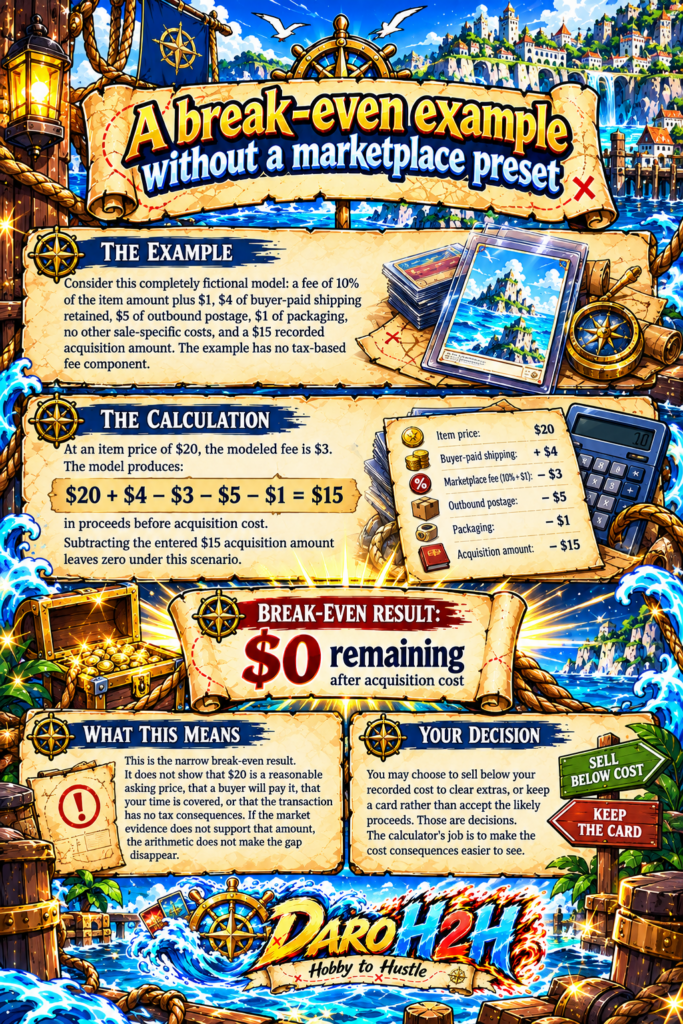
A break-even example without a marketplace preset
Consider this completely fictional model: a fee of 10% of the item amount plus $1, $4 of buyer-paid shipping retained, $5 of outbound postage, $1 of packaging, no other sale-specific costs and a $15 recorded acquisition amount. The example has no tax-based fee component.
At an item price of $20, the modeled fee is $3. The model produces $20 + $4 – $3 – $5 – $1 = $15 in proceeds before acquisition cost. Subtracting the entered $15 acquisition amount leaves zero under this scenario.
That is the narrow break-even result. It doesn’t show that $20 is a reasonable asking price, that a buyer will pay it, that your time is covered or that the transaction has no tax consequences. If the card’s market evidence doesn’t support that amount, the arithmetic doesn’t make the gap disappear.
You may choose to sell below your recorded cost to clear extras, or keep a card rather than accept the likely proceeds. Those are decisions. The calculator’s job is to make the cost consequences easier to see.
Know when the solver should stop
The calculator’s break-even output is unavailable in actual-fee mode. In custom planning mode, it is also unavailable when a nonzero fee rate depends on marketplace-collected tax, when the acquisition amount is unknown or when the combined price-based rate reaches 100% or more.
Those restrictions prevent the tool from claiming a simple answer where its assumptions don’t support one. More broadly, caps, tiers, minimums and transaction-specific adjustments require separate attention. A result can only be as complete as the model and costs behind it.
Don’t treat an unavailable result as a software challenge to work around by entering zero for the missing field. The missing information is part of the decision. Resolve it or keep the uncertainty visible.

Quick questions
Why not use one standard fee percentage?
Platforms and accounts can use different bases, fixed charges, programs and optional services. A remembered headline percentage can miss material costs. Use the current rules for your transaction.
Does break-even include my time?
Only if you deliberately include an appropriate entered cost in the scenario, with a clear explanation of what it represents. The calculator doesn’t estimate your labor or decide how you should value it.
Can I use a calculator result as my asking price?
Use it as cost information alongside matched sale evidence and your own preferences. A price that covers your inputs isn’t proof of demand.
Save the assumptions with the answer
For one card you’re considering selling, record the fee source and date, shipping estimate, packing cost, acquisition record and the model’s limits. Keep that beside the output. The useful result is the number plus the explanation of what it includes.